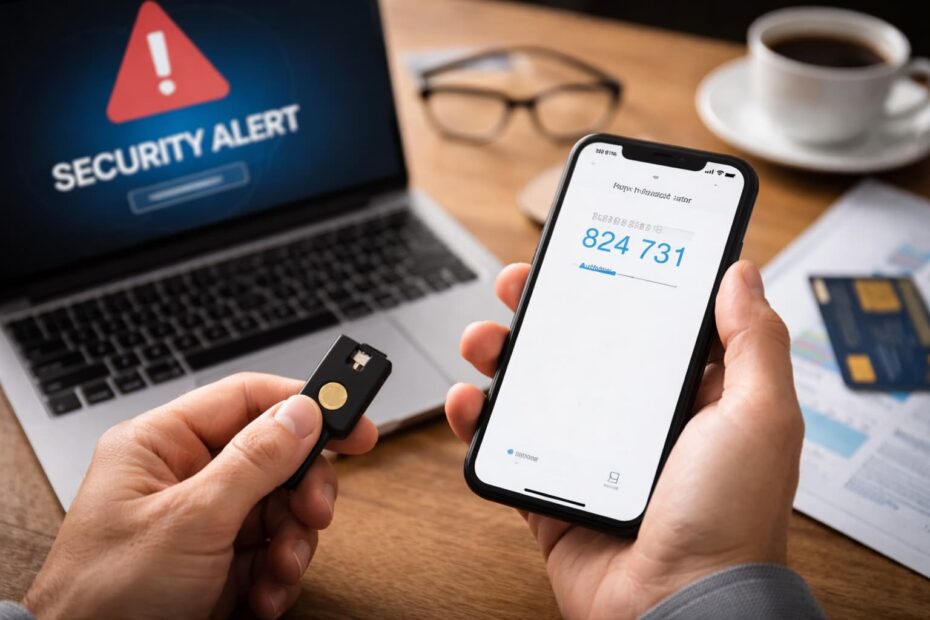
Mobile Cybersecurity in Practice: How to Avoid Scams, Cloning, and Data Theft
By 2026, the cell phone will no longer be just a communication device. It will have become a digital wallet, bank, investment access key, document vault, and authentication center for virtually all the services we use daily. If someone gains control of your smartphone, they can have direct access to your financial accounts, emails, social networks, and sensitive personal data.
Digital scams have evolved rapidly in recent years. Sophisticated phishing, SIM cloning, social engineering, fake apps, and physical thefts targeting bank transfers are increasingly common. The good news is that most attacks can be prevented with simple measures, when applied correctly. This definitive mobile cybersecurity guide will provide a practical, up-to-date, and applicable checklist to help you protect your device and passwords.
Physical Protection and Initial Access
Before discussing hackers or data breaches, it's important to understand a critical point: many scams begin with physical access to the device. In targeted thefts, the criminal doesn't just want the device—they want to unlock it quickly to access banking apps and reset passwords while the victim is still in shock.
Furthermore, poorly adjusted basic settings make a smartphone vulnerable even without advanced technical knowledge. Security begins at the simplest levels: screen lock, SIM card protection, and notification control.
1. Screen Lock: The 4-digit PIN is not sufficient.
A 4-digit PIN has only 10,000 possible combinations. This may seem like a lot, but it isn't. Many users choose predictable sequences like 1234, 0000, or birthdates. In cases of theft with observation (when someone sees you typing), the risk is even greater.
Prefer:
- Long alphanumeric passwords (e.g., M4r!na2026#)
- PIN with 6 digits or more
- Biometrics (fingerprint or facial recognition), combined with a strong password.
Biometrics increases convenience, but should always be paired with a strong password as a secondary layer of security.
2. The "SIM Lock": Activate the SIM card PIN.
The SIM swap scam allows criminals to transfer your number to another SIM card, receiving your SMS codes. This is especially dangerous because many services still use the phone number as the primary password recovery mechanism.
Enabling the SIM card PIN creates an additional barrier. Even if someone inserts your SIM card into another device, the PIN code will be required to use it.
How this helps:
- Even if your cell phone is stolen, they won't be able to use the SIM card in another device.
- It makes it difficult to access accounts linked to the number.
3. Notifications on the Lock Screen
Leaving verification codes visible on the lock screen is a common mistake. In quick robberies, criminals try to reset passwords immediately, hoping the codes will appear on the screen.
Configure for:
- Hide sensitive content
- Show only “New message”
- Require unlocking to view messages.
This simple setting can prevent an attack from being completed.
The Age of Passwords: Beyond “123456”
Passwords remain the weakest link in digital security. Despite years of warnings, millions of people still use predictable or repetitive combinations. In data breaches, lists of weak passwords are quickly exploited by automated software that tests combinations across various services.
Modern security demands abandoning the traditional model of simple passwords and adopting a structured strategy based on unique, long, and properly managed passwords.
Password Managers: Why use them?
Tools like Bitwarden and 1Password allow you to create and store strong passwords without having to memorize them.
Key benefits:
- Automatic generation of complex passwords
- Encrypted storage
- Secure autofill
- Reducing the risk of reuse
You then rely on a single strong master password, while the rest is protected by advanced encryption.
The Anatomy of a Strong Password
Passphrases are more effective than isolated words. A long phrase with varied elements is more difficult to break down by brute force.
| Password Type | Example | Security Level |
|---|---|---|
| Simple word | Marina123 | Low |
| Word + symbol | Marina@2026 | Average |
| long passphrase | Sun!Blue_Coffee_2026_Wind | High |
A good password should have:
- 12 to 16 characters (or more)
- Uppercase and lowercase letters
- Numbers
- Symbols
- Lack of obvious personal information.
The Danger of Recycling
Using the same password for email and banking is extremely dangerous. Email is the master key to your digital life. If it's compromised, an attacker can reset virtually all your other accounts.
| Strategy | Risk |
|---|---|
| One password for everything. | Most High |
| Different but weak passwords | High |
| Unique and strong passwords | Low |
| Strong passwords + 2FA | Very low |
Two-Factor Authentication (2FA): The Indispensable Shield
Even with a strong password, there is still risk. That's where two-factor authentication (2FA) comes in. It adds an extra layer, requiring something you know (password) and something you possess (temporary code or physical key).
Two-factor authentication (2FA) drastically reduces the impact of password leaks, as it prevents access even if the attacker knows your credentials.
Why is SMS not ideal?
SMS messages can be intercepted in phone line cloning scams. If the criminal obtains your number, they receive the authentication codes.
Safer Alternatives
Applications such as:
- Google Authenticator
- Authy
They generate temporary codes directly on your device.
Another, even more secure option is physical security keys, which need to be physically connected to authorize login.
| Method | Security | Vulnerable to SIM swapping? |
|---|---|---|
| SMS | Average | Yes |
| Authenticator app | High | No |
| Physical key | Very high | No |
If possible, prioritize authenticator apps or physical keys for email and banking.
How to Identify and Avoid Common Scams
Modern scams exploit emotions like urgency, fear, and curiosity. Even experienced users can fall victim to well-crafted attacks if they are distracted. Therefore, in addition to configuring technical security, developing digital critical thinking is crucial.
Phishing via WhatsApp and SMS
Even with a strong password and 2FA, you can still fall victim to social engineering.
1. Phishing via WhatsApp and SMS
Be wary of messages like:
- "Your account will be blocked"
- Click here to activate your card.
- "You won a prize"
Warning signs:
- Portuguese errors
- Shortened links
- Exaggerated urgency
- Request for personal data
Never click directly. Log in to the bank's official app.
Fake Security Center
Criminals pose as bank employees and ask for:
- Transfer to a "secure account"
- Remote access app installation
- Verification code sharing
Banks never ask for:
- Transfers for "testing"
- Installing external apps
- Complete passwords
If in doubt, hang up and call the bank's official number directly.
Public Wi-Fi
Open networks in airports and cafes can be monitored.
Avoid:
- Accessing banking apps
- Make transfers
- Enter sensitive passwords
If you need to use it:
- Prefer mobile data.
- Use a reliable VPN.
- Avoid financial transactions.
Emergency Plan: "I Was Robbed, Now What?"
If your cell phone is stolen or lost, the speed of your reaction can determine whether or not you will suffer financial loss.
Criminals often act within the first few minutes to reset passwords, access banking apps, and intercept verification codes. Therefore, having a clear protocol and acting immediately is essential to protect your accounts and data.
✅ Immediate Action Checklist
- Access Find My Device (Android) or Find My iPhone (iPhone)
- ⬜ Activate lost mode and lock the device remotely.
- ⬜ Erase the data on your phone if there is a risk of intrusion.
- ⬜ Call your carrier and block the SIM card (prevents SIM swapping)
- ⬜ Change your main email password immediately.
- Change your bank, digital wallet, and social media passwords.
- ⬜ Revoke active sessions on unknown devices
- ⬜ Notify the bank for preventative monitoring.
- File a police report.
- ⬜ Keep the IMEI number written down in a safe place for device blocking.
Acting within the first few hours can prevent fraud and drastically reduce any losses.
Security is not an option — it's a digital survival strategy.
Protecting your cell phone and passwords in 2026 isn't an exaggeration, it's smart. Your smartphone holds your financial life, your identity, and your daily decisions. A moment of carelessness can cost you months of work, savings, and peace of mind. The difference between those who fall victim to fraud and those who avoid losses almost always lies in preventative habits.
Digital security doesn't depend on paranoia, but on discipline. Simple adjustments—like enabling 2FA, using unique passwords, and protecting your SIM card—create real barriers against attacks. Start today. Review your settings, apply the checklist, and make protection a routine. Because, in today's digital world, prevention isn't a detail—it's protecting your assets.
Lost Photos? Discover How to Recover Them
Have you lost important photos and don't know how to restore them? Discover the best apps for recovering photos and their features.


